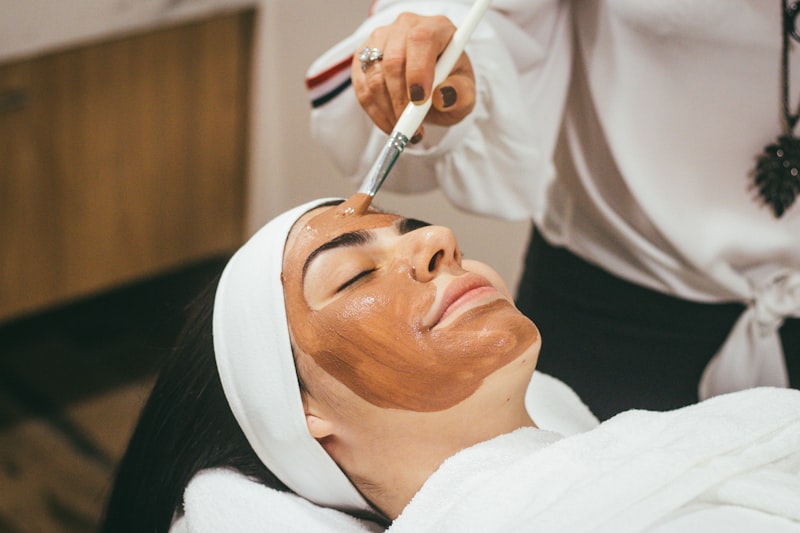
Booking System for Beauty & Skincare Salons
Beauty and skincare salons operate differently from a typical appointment-based business. Treatments range from a quick 20-minute facial peel to a two-hour full-body treatment plan. Clients have skin types, allergies, and product sensitivities that you must track. And the competitive landscape means your client experience needs to be polished from the very first interaction — which today starts with booking.
Here is how to pick a booking system that fits how beauty salons actually work.
The Unique Needs of Beauty Salons
Treatment Complexity
A hair salon mostly books single services. A beauty salon often combines them — a client might want a facial, brow shaping, and a lash lift in one visit. Your booking system needs to handle combination appointments without creating scheduling conflicts.
Skin and Health Records
You need to know a client's skin type, allergies, product sensitivities, medications that affect treatment (like retinoids or blood thinners), and any previous reactions. This is not just good service — for certain treatments, it is a safety requirement.
Consultation Before Treatment
Many beauty treatments require a patch test or consultation before the actual service. Your system should support booking a short consultation first and the full treatment later, with the relevant forms and records carried over.
Rebooking and Retention
Beauty treatments are often recurring — facials every four to six weeks, lash fills every three weeks. A system that makes rebooking easy and sends reminders when it is time for the next appointment helps you maintain a steady client base.
What to Look For
1. Detailed Service Catalog
You need to list every treatment with its duration, price, description, and any requirements (like a prior consultation). Clients browsing your booking page should be able to understand exactly what each treatment includes.
Group services into categories — facials, body treatments, brow and lash, peels — so clients can find what they need quickly.
2. Client Profiles with Treatment History
Every client should have a profile that tracks their skin type, allergies, previous treatments, and preferences. When a regular client books, you should be able to pull up their history in seconds and prepare accordingly.
3. Intake and Consent Forms
Before certain treatments — chemical peels, microneedling, laser — you need informed consent and health information. Digital intake forms sent automatically before the appointment save time and ensure nothing is missed.
4. Online Payments and Deposits
Beauty treatments can be expensive. Requiring a deposit at booking protects you from no-shows and signals professionalism. Clients who pay in advance take their appointments more seriously.
5. Automatic Reminders and Rebooking Prompts
Reminders reduce no-shows. Rebooking prompts (e.g., "It has been 4 weeks since your last facial — time to rebook?") keep your calendar full and your clients on schedule.
How Bokably Works for Beauty Salons
Bokably handles the full beauty salon workflow:
Service catalog — Create detailed listings for every treatment with duration, price, description, and category. Clients browse and book exactly what they need.
Client profiles — Store skin type, allergies, product preferences, and treatment notes for every client. Review their history before each appointment to deliver personalized care.
Intake forms — Build custom consultation forms for different treatment types. Send them automatically when a client books. Responses are attached to their profile permanently.
Staff management — Assign treatments to specific therapists based on qualifications. A junior aesthetician might handle basic facials while a senior therapist does advanced peels. Clients only see available times with qualified staff.
Deposits and payments — Collect deposits or full payment at booking through Stripe. Set different payment rules for different services — full prepayment for premium treatments, deposits for standard ones.
Reminders — Automatic SMS and email reminders at your chosen intervals. Configurable per service so you can send an extra reminder for high-value treatments.
Buffer time — Allow prep and cleanup time between treatments. A 60-minute facial with 15 minutes of buffer ensures you are never rushing between clients.
Getting Started in Three Steps
- Build your service catalog — Add every treatment with duration, price, and category. Create intake forms for treatments that need consent or health information.
- Set up your team — Add each therapist with their qualifications, availability, and working hours.
- Go live — Share your booking page on Instagram, your website, and Google. Clients start booking immediately.
Frequently Asked Questions
Can I create different intake forms for different treatments? Yes. Each service can have its own intake form. A chemical peel form might ask about retinoid use and sun exposure, while a basic facial form asks about skin type and allergies.
Can clients book combination treatments? Clients can book multiple services in sequence. The system calculates the total duration and price, and ensures the same therapist is available for the entire appointment window.
How do I handle consultations before treatments? Create a short consultation service (15-30 minutes, free or nominal fee) that clients book first. After the consultation, you can note the treatment plan on their profile and they book the full treatment for a later date.
Can I see which treatments are most popular? Yes. Bokably's dashboard shows your booking data including which services are booked most frequently, which time slots fill up first, and which staff members have the highest demand.
What about GDPR for skin and health data? Bokably stores all data on EU servers with encryption. Health-related data in intake forms and client notes is protected under the same GDPR-compliant infrastructure. You can export or delete any client's data on request.
Does it work on mobile? The booking page is mobile-first — designed for clients booking from Instagram or their phone browser. Your management dashboard also works on tablet and mobile for checking schedules on the go.